
Good news first? Or bad news first?
Let’s do bad news first.
This is the final issue of What’s !important on CSS-Tricks.com. The good news is that it’s coming back in an expanded form as the CSS-Tricks newsletter. I had ya there for a second, didn’t I? Sorry, I couldn’t decide whether to trick or treat, so I went for both. Happy Halloween!
The newsletter officially kicks off on November 10th. That’s after a way-too-long four-year hiatus. It’s not only high time for it to come back, but for you to get on the list. You’ll get hand-written and hand-curated news, links, and editorials that you can only find there.
So, let’s go out with a big bang for our “final” issue. It’s packed with some stuff that’s been held back since before the site came back to life earlier this week, plus some new stuff that’s finally ready to share.
Scooch over Apple, Rockstar has something they’d like to say about fancy scrolling effects (to be fair, they’ve had 13 years to create them). First, check out the GTA 6 website (which oddly doesn’t work in Firefox), then watch Kevin Powell’s GTA 6 scroll effects walkthrough, which is frankly the most fun you can have while waiting for GTA 6.
Mojtaba Seyedi demonstrated how to build a scrollspy with modern CSS. What’s a scrollspy, you ask? If you have a navigation that links to different sections of the page, a scrollspy highlights the section you’re currently on in the navigation.
random() Demos Explained
Brecht De Ruyte showcased and explained some absolutely stunning random() demos.
Implementing Icons on the Web in 2026 and Beyond
Lea Verou explained, in detail, the different ways of implementing icons on the web. Many exciting CSS features of the future are mentioned, including Linked Parameters, ident(), @mixin and @apply, the @property shorthand, and more — making it a genuinely deep dive with a lot of intrigue.
::*?
Kilian Valkhof suggested a universal pseudo-selector. The universal selector (*) doesn’t select pseudo-elements, which is why almost every website uses the following CSS snippet:
*,
::before,
::after {
  box-sizing: border-box;
}
But there are way more pseudo-elements now (e.g., ::backdrop and ::details-content, to name just a couple of common ones in the context of box-sizing: border-box), so Kilian suggests ::*.
New HTML and CSS Features That Are Useful for Design Systems
Declan Chidlow told us which new HTML and CSS features are useful for design systems. Standouts include text-box, sibling-index(), sibling-count(), @scope, and @custom-media — all very handy even outside of design systems.
Make <textarea>s Adapt to Their Content
Adam Argyle shared a sweet CSS trick to make <textarea>s adapt to their content (like contenteditables do naturally). There’s a bit of anchor positioning going on there — anchor positioning might just be the most versatile CSS feature right now.
Create Wavy Dividers Using random() and shape()
Here’s another CSS trick: create wavy dividers using random() and shape(). This has Temani Afif written all over it.
New Color Contrast Checker
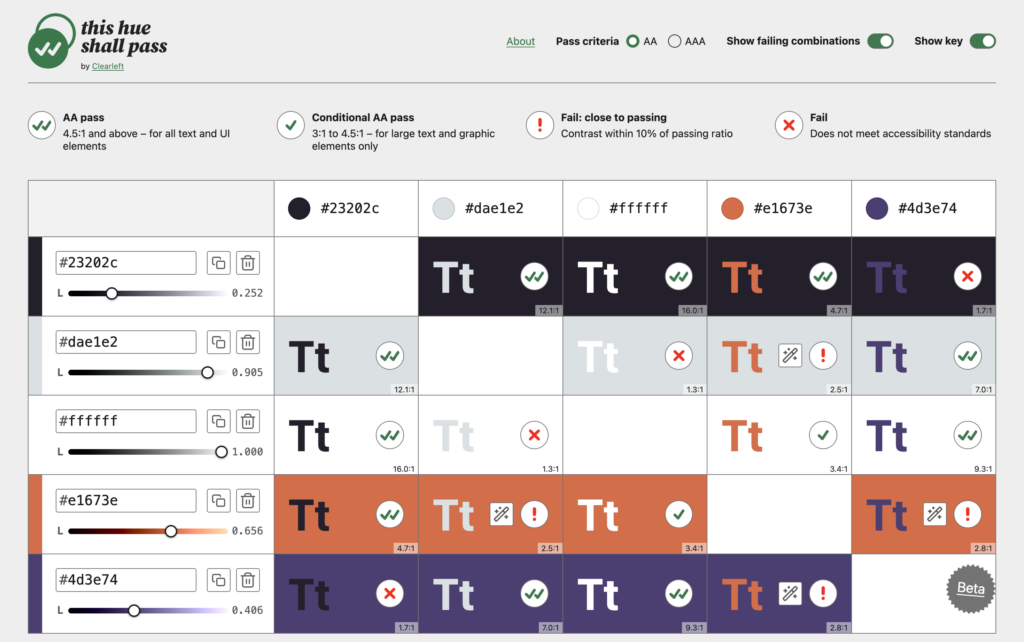
While it certainly isn’t the only color contrast checker out there, This hue shall pass is a new one that enables checking every combination of colors, recognizes the difference between Fail and Fail: close to passing, and allows adjusting lightness until the color contrast ratio meets AA/AAA standards. Made by Clearleft.
Gradient Visualizer (Also New)
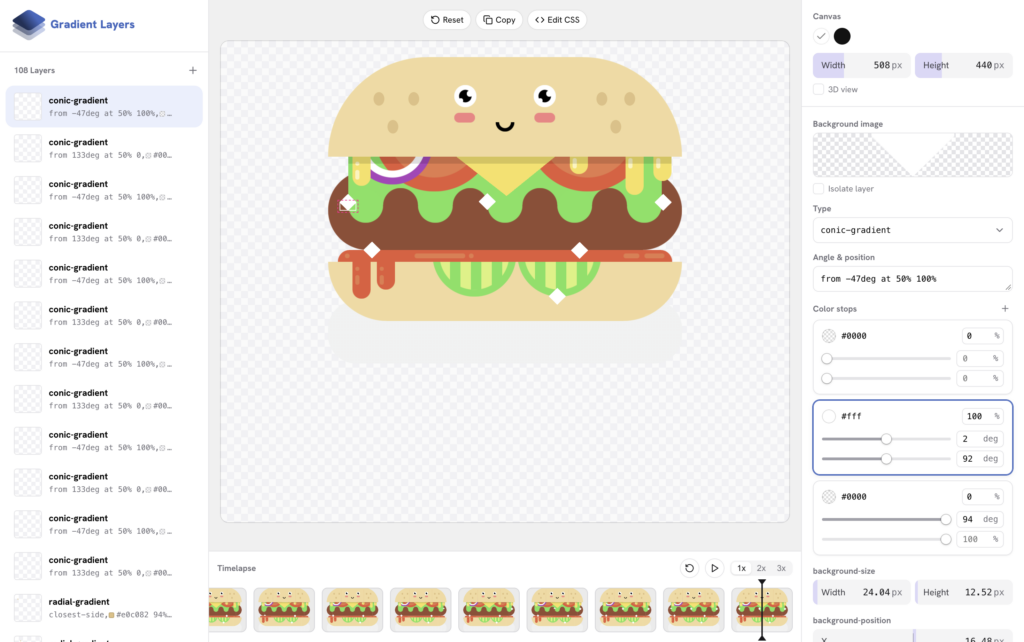
Concocted in Ahmad Shadeed’s lab, Gradient Layers enables editing gradients or creating them from scratch visually, which is easier than fiddling with CSS — especially when gradients have multiple layers.
Two New Gradient Types on the Way
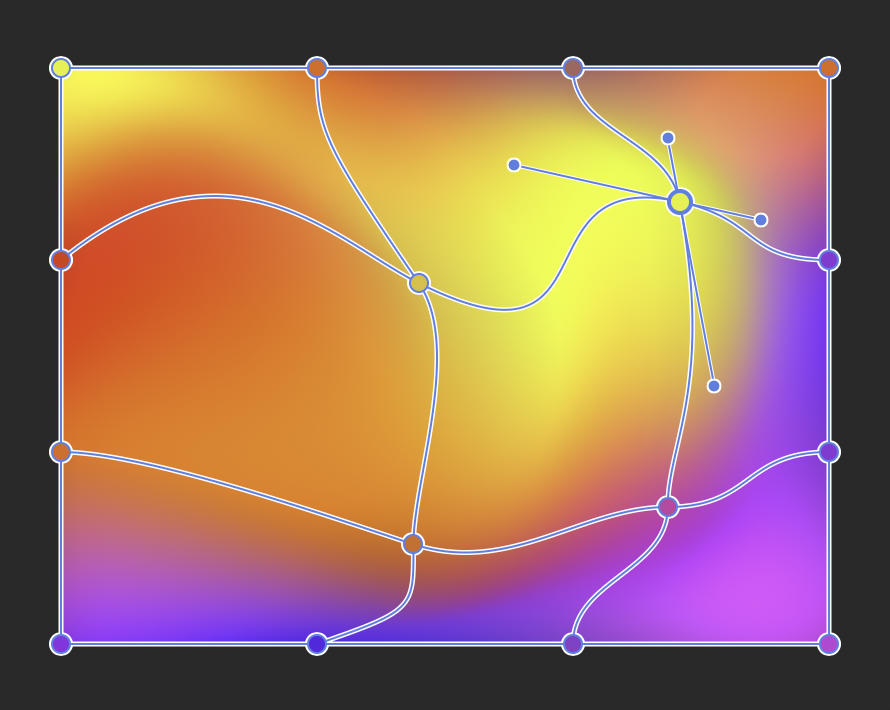
We have two new gradient types on the way. Josh Tumath explained how they work and what their CSS code might look like.
A couple of simple examples:
background-image: mesh-gradient(red, blue; green, yellow);
background-image: freeform-gradient(red top left, yellow bottom right);
Those examples are cool, but the image below really demonstrates how powerful these gradient types can be — this one uses a mesh gradient:
New Web Platform Features and Updates
-
margin-trim(no Firefox support)symbols()(no Safari support)text-decoration-skip-spaces(no Firefox or Safari support)
-
- JPEG XL (now Baseline)
- CSS typed arithmetic (now Baseline)
It’s an exciting time for the web platform, and there’s plenty more to follow in the CSS-Tricks newsletter when it launches on November 10th.