There’s a brand new ariaNotify() method — defined by the Accessible Rich Internet Applications (WAI-ARIA) 1.3 Specification — that provides a means of programmatically triggering narration in a screen reader. It accepts a string as its first argument, and an optional configuration object as its second:
document.ariaNotify( "Hello, World." );
// When invoked, a screen reader will narrate "Hello, World."
That might look like a simple solution to an equally simple use case, but historically this has been a tricky problem that could only be solved by slightly off-label usage of ARIA’s live regions. Understanding live regions — and their shortcomings — is the key to understanding what ariaNotify does for us.
The Problem with Live Regions
In an assisted browsing context, if some part of a page changes in response to a user interaction, or something is loaded and added to the page asynchronously, those changes aren’t discoverable until the user moves their focus to that changed content. A user would have no way of knowing that something had changed, let alone what. Live regions address that, at least by design: an element with an aria-live attribute will prompt narration for changes to the markup contained within that element. When the markup is changed, the changed markup is narrated aloud.
- If
aria-livehas a value ofassertive, it informs assistive technology “this is urgent, and should be narrated right away.” - If
aria-livehas a value ofpolite, it says “this should be narrated, at the next natural opportunity to do so.”
Using role="alert" or role="status" on an element is functionally equivalent to aria-live="assertive" and aria-live="polite", respectively.
There are also a few other attributes that determine a live region’s behavior:
aria-atomic
true: narrate the entire contents of the live region when something in it changesfalse(default): announce only the text that changes within the element
aria-relevant
text: notify the user when phrasing content changes inside the live regionadditions: notify the user when a node is added to the live regionremovals: notify the user when a node is removed from the live regionall: notify the user if text is changed, and/or elements are added to or removed from the DOM
Solid enough in theory — but in practice, browsers and assistive technologies are wildly inconsistent about implementation, particularly as it relates to nested markup within a live region. If you want aria-live to work as expected, you’ll often end up needing to strip out all the otherwise semantically meaningful markup that you should be using.
In order to work reliably across assisted browsing contexts, a live region has to already meaningfully exist in the DOM at the time the narration is triggered. A live region can’t be toggled from display: none or injected into the page along with the content to be narrated, or you’ll run into timing issues that prevent the content from being narrated. When the browser first “sees” the live region, it locks in “okay, narrate anything that changes in this container,” which doesn’t necessarily include that initial content. The way the "assertive" and "polite" values work isn’t especially well-defined in the specification or realized consistently across screen readers and browser combinations.
There’s also a fundamental mismatch between the purpose of live regions and the way the modern web is built. Live regions only work when markup is added to or removed from the element in question, and that isn’t the reality of most interactions that result in a change to the visible contents of a page. Live regions are no help when you’re revealing markup that’s already in the document but otherwise inert — for example, swapping between a visible display property and display: none. That use case is every bit as common as structural changes to the current document on-the-fly, if not more so.
All these limitations have led to live regions almost exclusively being used as makeshift notification APIs: having one or more aria-live elements buried in the page, visually hidden (but not removed from the accessibility tree via display: none), updated as-needed with whatever text you want narrated. That injected content is also necessarily available to a user navigating through the page via assistive tech, floating in the document divorced from its original meaning. If you’re not meticulous about cleaning up afterwards, you’ve added a potentially confusing source of contextually irrelevant narration to the page. Most of all, you’ve added a new and invisible concern: a feature that will need dedicated testing and upkeep, and something that can break in literally unseen ways that have the potential to be annoying, misleading, or confusing.
How ariaNotify Works
The ariaNotify method takes the place of this kind of Rube Goldberg accessibility contraption, providing a real screen reader notification API with no convoluted or flaky markup required:
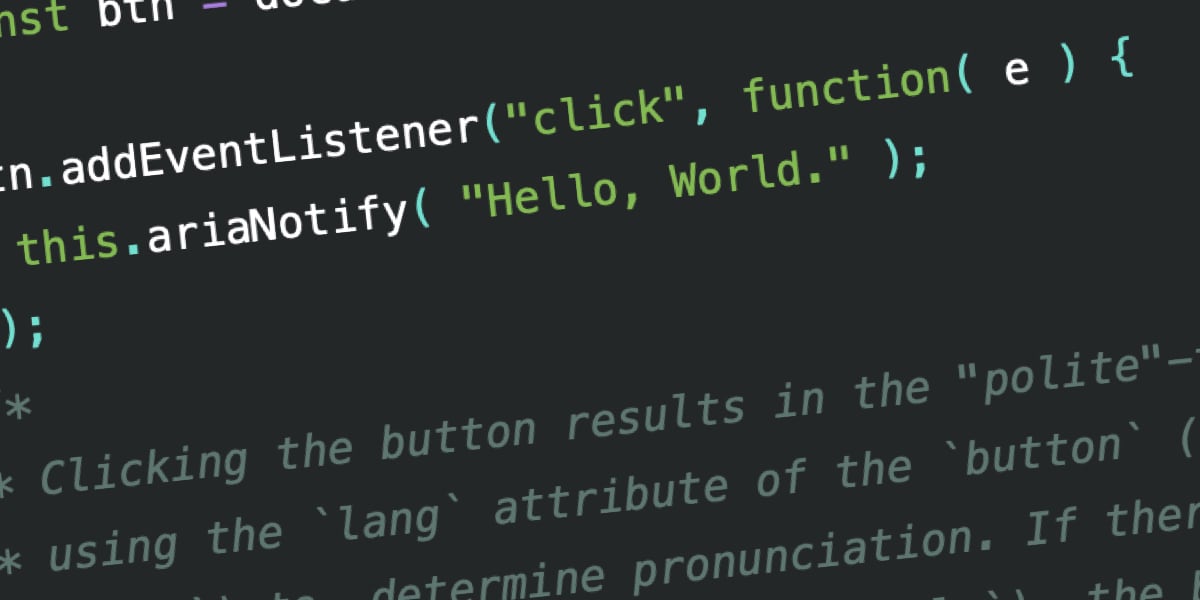
document.ariaNotify( "Hello, World." );ariaNotify is available as a method on the Element interface or on the Document interface. Calling document.ariaNotify() means that the lang attribute specified on the html element will be used to infer the language of the notification:
const btn = document.querySelector( "button.announce" );

btn.addEventListener("click", function( e ) {
  document.ariaNotify( "Hello, World." );
});
/*
* Clicking the button results in the "polite"-timed announcement "hello, world,"
* using the `lang` attribute specified on the `<html>` element. If there isn't
* one, the browser's default language is used.
*/
Calling ariaNotify() from an element means that the lang attribute of the element’s nearest ancestor will be used to determine the language of the notification:
const btn = document.querySelector( "button.announce" );

btn.addEventListener("click", function( e ) {
  this.ariaNotify( "Hello, World." );
});
/*
* Clicking the button results in the "polite"-timed announcement "hello, world,"
* using the `lang` attribute of the `button` (or the closest parent element with
* `lang`) to determine pronunciation. If there isn't one in the document (all
* the way up to and including `<html>`), the browser's default language is used.
*/
Setting Priority
ariaNotify accepts a second parameter that allows you to set an explicit priority level:
const btn = document.querySelector( "button.announce" );

btn.addEventListener("click", function( e ){
  this.ariaNotify( "Hello, world.", {
    priority: "high"
  });
});
The default priority is priority: "normal", which behaves like aria-live="polite" (or role="status"). Setting an explicit priority: "high" will prioritize and potentially interrupt the current narration, the way aria-live="assertive" (or role="alert") would.
Current Browser Support
That’s the entire API. No fussing with markup, no finessing timings — if you need something narrated, you call ariaNotify and it is narrated. You can try this out in Firefox now, though lang attribute support does not appear to be factored in yet. The following screen reader output was observed during testing:
JAWS
Polite, button. To activate, press space bar. [spacebar pressed] Space. Hello, World.
Assertive, button. To activate, press space bar. [spacebar pressed] Space. Hello, World.
Educado [pronounced correctly], button. To activate, press space bar. Space. Hola, Mundo [pronounced incorrectly].
NVDA
Polite, button. [space pressed] Hello, World.
This API is a long-overdue replacement for one of accessibility development’s most frustrating workarounds. Used carefully and only where truly necessary, ariaNotify() has the potential to make assistive technology integrations significantly more reliable and maintainable than the live region hacks they replace.