We have a REST API. Apple has Shortcuts, an automation app that can send HTTP requests. Wiring one to the other looked like a free win: “Hey Siri, publish this” → POST to our API → done. No backend, no OAuth, no app to install.
It works. It’s on my phone. What I couldn’t do — and this is where it got interesting — was build, edit, version, and ship that shortcut from code. Here are the walls I hit, with the exact errors, so you can decide whether to spend an evening the way I spent mine.
What works
The shortcut itself is trivial, three steps:
- Ask for Input (text) → “What are we posting?”
- Get Contents of URL → POST to
https://api.publora.com/api/v1/create-post, headerx-publora-key: <key> - Request body (JSON):
contentfrom step 1,platformsas an array with one connection ID
Run it, Siri asks, you dictate, the post goes out. Here’s the curl equivalent, to show how little logic there is:
curl -X POST https://api.publora.com/api/v1/create-post \
  -H "x-publora-key: YOUR_API_KEY" \
  -H "Content-Type: application/json" \
  -d '{"content":"Shipped from Siri","platforms":["linkedin-ABC123"]}'
Leave out scheduledTime and the post is created as a draft, which is what you want while testing: nothing goes to a live audience.
Building it on the phone took about forty minutes, most of that spent hunting for the right actions in a localized UI. Building it from code took forever. Here’s why.
Wall 1: you can’t hand-write a .shortcut file
A shortcut on disk is a property list: WFWorkflowActions is an array of dictionaries, each with an action identifier and its parameters. That part is easy to write by hand.
The file has to be signed before anything will open it, and macOS ships a CLI for that:
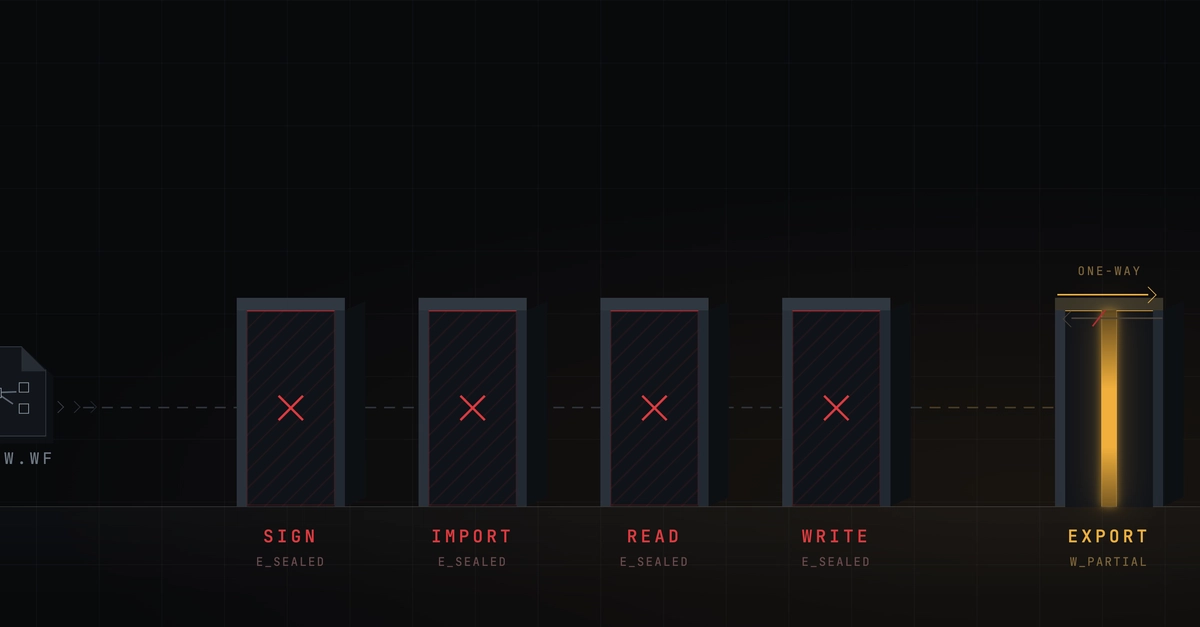
shortcuts sign --mode anyone --input mine.plist --output mine.shortcutIt rejects hand-written plists. XML, binary, a minimal one-action file, a full set of top-level keys, both signing modes — every time, the same “isn’t in the correct format.” sign appears to accept only files the app itself produced.
Wall 2: sign doesn’t work on a real file either
Fine — I got a real one (trick below) and tried again:
shortcuts sign --mode anyone --input real.shortcut --output out.shortcut
Error: In order to do this, you must be signed into iCloud.
I am signed into iCloud. iCloud Drive is on, the ~/Library/Mobile Documents/com~apple~CloudDocs folder is there, defaults read MobileMeAccounts shows the account. I tried it as a normal user process, through launchctl asuser, and in a real Terminal.app GUI session. Same error each time. On macOS 14.6, shortcuts sign seems to be simply broken. It may behave differently on other versions, but on 14.6 it’s dead.
Wall 3: the import URL scheme only trusts iCloud
There’s a URL scheme to import a shortcut from a link:
shortcuts://import-shortcut?url=<url>&name=PubloraServe the file over local HTTP → “Import failed: the specified shortcut URL is invalid.” Serve it over real HTTPS (I tried a gist) → same error. The scheme seems to accept only icloud.com/shortcuts/... links, i.e. files Apple itself signed. There’s no side door.
Wall 4: you can’t even read what’s already installed
shortcuts list happily prints my shortcuts, so the data exists somewhere. But the group containers are empty shells, and the only SQLite files in them are four-kilobyte stubs from a migration folder. Nothing to read, nothing to use as a template.
The one thing that worked: pulling a shortcut out of an iCloud link
When someone shares a shortcut with you, the link is backed by an undocumented endpoint that returns the actual file:
curl -s "https://www.icloud.com/shortcuts/api/records/<share-id>" -o rec.json
# fields.name.value           → shortcut name
# fields.shortcut.value       → unsigned plist (readable, editable)
# fields.signedShortcut.value → Apple-signed blob
One catch: the downloadURL contains a literal ${f} placeholder you have to substitute before the download resolves.
Note: the values in the snippets below are anonymized — the IDs, keys, and parts of the endpoint response are not real. The point is that this path exists and that things travel out with the link, not a working recipe against other people’s shortcuts. Exact behavior depends on the specific shortcut, so there’s nothing to reproduce byte for byte here.
python3 - <<'EOF'
import json, plistlib, urllib.request
rec = json.load(open('rec.json'))
url = rec['fields']['shortcut']['value']['downloadURL'].replace('${f}', 'file')
open('raw.shortcut','wb').write(urllib.request.urlopen(url).read())
print(plistlib.load(open('raw.shortcut','rb'))['WFWorkflowActions'])
EOF
Now the shortcut can be read, diffed, and rewritten programmatically. You just can’t push it back. This road is read-only.
The security part nobody warns you about
Look at that field list again. Everything baked into a shortcut travels with the link, and the link is public to anyone who has it. In my first working version, the API key was written straight into the header field. So for a while, my key was one URL away from anyone I sent the shortcut to.
That’s the real lesson, and it isn’t about reading other people’s shortcuts — it’s about what you hand out without noticing. If you’re going to share a shortcut that talks to an authenticated API:
- Never bake in a credential. Ask for it at runtime, or use Apple’s import questions so the installer fills it in themselves.
- Don’t make the user hunt for internal IDs by hand. Ours calls
GET /api/v1/platform-connectionsand reads theplatformIditself. - When you’re done testing, delete the iCloud link (Share → Remove iCloud Link) and rotate anything that may have leaked.
The shortcut itself is a five-minute build. The tooling around it — versioning, distribution, credential hygiene — is where the real work lives, and Apple has deliberately left most of that to you.